


Perfect Viewer
4.43.31K Reviews
App Specs
- Version
- 5.0.4.5
- Updated On
- License
- Free
- Downloads
- 5,000,000+
- Developer
- Rookie001
- Categories
- Comics
- Platform
- Android, iOS
Screenshots
 Analysis by AppCompare
I judge a comic reader less by how many options it advertises than by whether it gets out of the way once I start reading. Perfect Viewer is built for people who keep comics or manga as files and want control over how pages appear on a phone or tablet. Its strengths are flexibility and a reading-first approach; its trade-off is that a tool with many viewing and library choices can feel less effortless than a simple, all-in-one comics service. I’d consider it especially useful if you already have a personal collection and care about fitting the display to each book.
A file reader rather than a comics service
That distinction matters when deciding whether it suits you. Perfect Viewer is a comics app by Rookie001, but its role is to read material you bring to it, not to act as a shop or a place to discover a serialized catalogue. If you usually open a comics subscription app and choose a title from its built-in shelves, this is a different kind of experience. If you have files saved on your device and want a dedicated way to browse them, the approach makes much more sense.
The app is free and is rated for Everyone. It has an average rating of 4.2 from around 58,000 ratings, with roughly 3,300 written reviews, and has been installed over 5 million times. Those figures suggest that it has found a substantial audience, though they don’t tell you whether its interface will match your habits. I would treat it as a practical reader to try, not assume that popularity alone makes it the right fit.
Reading comfortably, one page at a time
The first thing you notice when you fire up Perfect Viewer is just how lightweight it is. I mean, we all know that storage space is prime real estate on our phones, right? Thankfully, this app doesn’t hog it. The installation process is quick and painless, and you’re welcomed into a sleek and user-friendly interface.
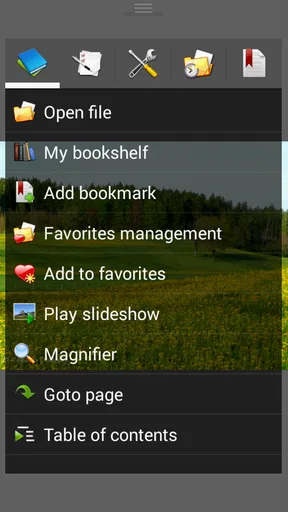
Once you open the app, you’ll find a clean main menu that’s easy to navigate. The app supports a range of file formats like CBZ, CBR, PDF, and even image files like JPEG and PNG. That means you can load up pretty much any comic you have stored, which is a huge plus in my book!
Customizing Your Viewing Experience
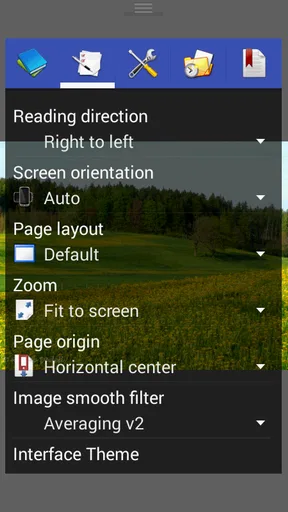
One of the standout features of Perfect Viewer is the level of customization it offers. You can tweak the viewing settings to your heart's content. There’s a night mode for those late-night reading sessions and even a setting to adjust the brightness and contrast. If you’re like me and enjoy reading in bed, this feature is an absolute lifesaver.
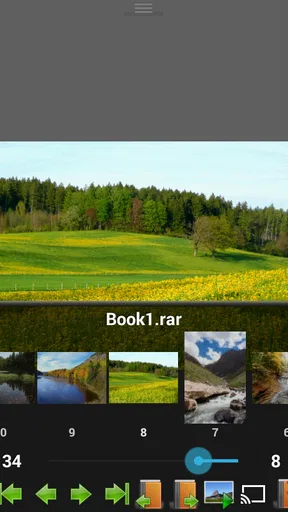
And let’s talk about the reading modes. You can choose from single page, double page, and even a scroll mode if that’s your thing. The app also allows you to change the page transition effects. It’s all about making the experience perfect for you, and I appreciate that level of thoughtfulness.
Worth Reading Before You Choose

Flipboard Shows What News Apps Must Do Beyond the Feed

Switching to Android Auto Means Rethinking Your Driving Routine

Google Calendar Makes a Crowded Week Easier to Manage

Ludo King Makes the Most of the Minutes Between Plans

Baby Panda World Brings Quick Play to Modern Phones, but Its Game Library Feels Busy

ESPN’s Live Game View Makes Following Close Games Easier
Making the controls work for your collection
These choices are most useful when treated as a few small adjustments for a particular book, rather than settings to keep changing every few pages. A narrow phone screen and a wide two-page spread don’t ask for the same layout. I’d start with single-page viewing for ordinary portrait pages, then try a different mode only if the artwork or lettering feels cramped. For a long vertical webcomic, scrolling can feel more natural than tapping through pages; for a traditionally paginated volume, page-by-page reading usually preserves the intended rhythm.
Brightness and contrast are worth adjusting with care. A brighter display can help make fine lettering easier to read in a lit room, but in a dark bedroom it may be uncomfortable even with a dark interface. I’d lower the screen brightness first and then make smaller image adjustments, rather than using contrast to force every page into the same look. Scanned comics vary, and a setting that improves one volume can make another look harsh.
Page transitions are a matter of taste, but they also affect the feel of reading. If you’re moving quickly through action or checking a reference page, a restrained transition keeps attention on the art. If you like a more deliberate, book-like pause, another effect may suit you better. I wouldn’t spend time searching for one universally ideal choice: the practical advantage is being able to settle on what feels comfortable for your device and the material in front of you.
Speed and Performance
I’ve used a fair share of comic reader apps, and speed is often a hit or miss. Thankfully, Perfect Viewer delivers on this front. The pages load up quickly, and the app runs smoothly even when you’re flipping through pages at a rapid pace. No annoying lag or crashes, which is exactly what you want when you’re immersed in a gripping storyline.
Plus, the app is optimized for both tablets and smartphones. So, whether you’re reading on a compact screen or a larger tablet, the performance remains consistent. It’s those little things that make a big difference.
Where convenience has limits
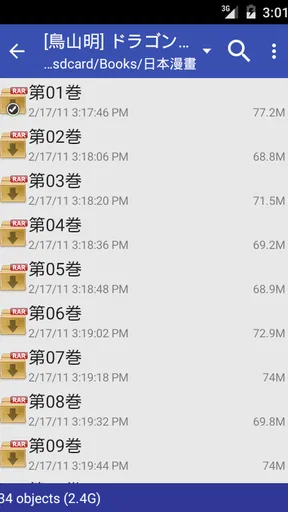
Fast page changes are welcome, but speed alone doesn’t make a collection easy to use. A reader that works with local files asks you to keep those files sensibly arranged in the first place. If downloads land in several folders with inconsistent names, browsing can still become a chore even when the viewer itself responds promptly. I’d give a series a clear folder and use consistent volume names before importing a large backlog; that bit of housekeeping pays off whenever you return to the library.
There is also a real difference between reading a file and finding something new to read. A subscription or storefront app is usually the better choice if you want recommendations, a ready-made catalogue, or a straightforward way to follow titles without managing files yourself. Perfect Viewer is more appealing when you value control over a collection you already have. It’s a reader, not a replacement for every part of a comics-reading routine.
Library Management
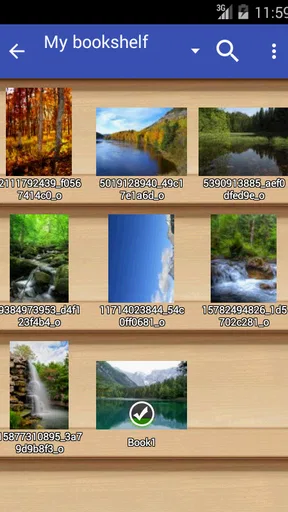
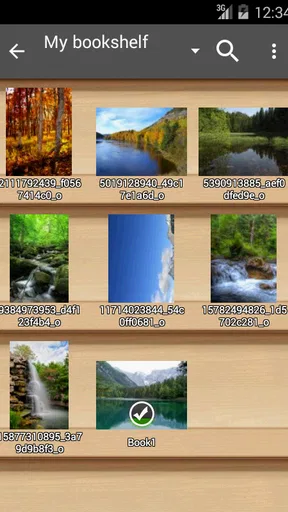
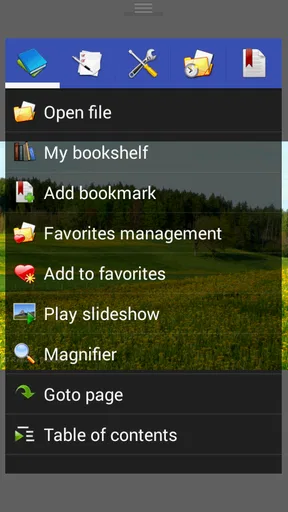
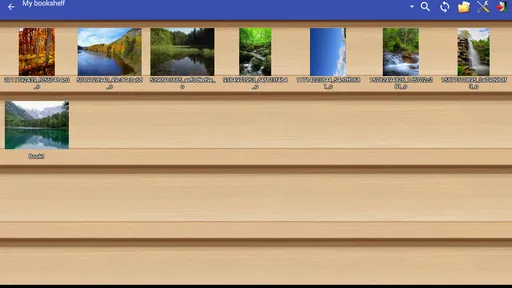
Managing your library in Perfect Viewer is a breeze. You can organize your comics into different folders and even add bookmarks to keep track of where you left off. The app also supports cloud storage services like Google Drive and Dropbox, so you can easily sync your collection across devices. How cool is that?
I found the library interface to be intuitive, making it simple to find what you’re looking for without having to scroll endlessly. You can sort your comics by title, author, or even the last read date. It’s all about making your life easier, and I’m here for it.
A useful routine for everyday reading
Imagine you’re heading out with a tablet and want a few chapters ready for a train ride. I’d first put the volumes I plan to read into a clearly named folder, open that folder in the library, and bookmark my place before switching to another book. When I get home, sorting by last read gives me a simple way to pick up the same title without relying on memory. This is a modest workflow, but it shows the app’s practical value: files, folders, reading controls, and bookmarks can work together without requiring a catalogue or a social layer.
For a collection spread between a phone and a tablet, cloud storage can make files easier to reach, but I would distinguish access from a seamless reading-state handoff. Keeping a comic in a cloud folder is not the same thing as knowing that every device will open to precisely the same page. Bookmarks are the useful checkpoint to make before changing devices. That small habit is more reliable than assuming the reading position will follow automatically.
File format support also makes it worth checking a troublesome item before reorganizing an entire library. If a comic is already stored as a supported archive or image file, the reader can be a straightforward place to view it. If a file refuses to open, the problem may be the file itself or how it was packaged, rather than a setting you missed. I’d test one representative volume first, especially before moving a large collection into a new folder structure.
Who will get the most from it
I’d recommend this app to readers with a personal library who want to choose between page layouts, adjust the image for different lighting, and keep their place with bookmarks. Manga readers may appreciate having a reading mode that suits their page orientation, while people with mixed collections can benefit from being able to browse comic files and ordinary images in one reading tool. Tablet owners also have a good reason to try it: a larger screen makes the choice between a single page and a spread more meaningful.
I’d be less likely to recommend it to someone who wants the simplest possible experience, reads only through a paid or ad-supported catalogue, or doesn’t want to think about where files are stored. A dedicated service may make discovery and ongoing series access easier. Likewise, if you mainly want a general photo gallery, a gallery app is more direct than a comics-focused reader with reading controls and library organization.
The version currently available is 5.0.4.5, and the app supports Android 4.4 and later. That gives readers with older compatible devices a reason to consider it, though the practical experience will still depend on the device and on how comfortably its screen handles the pages they read. I’d check that the app works well with your own collection and preferred layout before making it the center of a large library.
Final Thoughts
All in all, Perfect Viewer is a fantastic app for anyone who loves reading comics or manga on their mobile devices. It’s got the right mix of features, customization, and performance that makes it stand out from the rest. Whether you’re a casual reader or a hardcore comic fan, this app has something to offer. If you haven’t tried it yet, give it a go—you won’t be disappointed!
My recommendation comes with one qualification: its strongest case is for readers who bring their own files and want a flexible viewing space, not for people seeking an all-in-one comics destination. Its folder-based approach rewards a little organization, and its many display choices are most valuable when you use them to solve a real reading problem rather than adjust everything for its own sake. If that trade-off sounds reasonable, the free price makes trying it an easy decision. If you’d rather browse a ready-made catalogue and never manage a file, choose a service designed around that instead.
Pros
- Highly customizable interface options.
- Supports a wide range of file formats.
- Fast and smooth page turning.
- Offline reading mode available.
- Regular updates and improvements.
Cons
- User interface can be overwhelming.
- Limited cloud storage integration.
- No built-in store for comics.
- Ads in free version can be intrusive.
- Some features require in-app purchases.
FAQs for Perfect Viewer
What is Perfect Viewer and what features does it offer?
Perfect Viewer is a versatile comic and eBook reader for Android devices. It supports a wide range of file formats, including CBZ, CBR, PDF, and ePub, making it a go-to app for reading comics and books. The app also provides customizable viewing options, such as night mode and page transition effects, ensuring a comfortable reading experience.
Is Perfect Viewer free to use, or does it require any in-app purchases?
Perfect Viewer is available as a free app on the Google Play Store. While the core functionality is accessible without cost, there are optional in-app purchases that unlock additional features. These might include enhanced support for specific file formats or advanced customization options, providing a richer reading experience for those who choose to upgrade.
How user-friendly is Perfect Viewer for new users?
Perfect Viewer is designed with user-friendliness in mind, featuring an intuitive interface that newcomers can easily navigate. The app includes a variety of customizable settings, allowing users to tailor their reading experience. Although it may take a bit of time to explore all its features, the learning curve is generally gentle, making it accessible for all users.
Does Perfect Viewer support cloud storage integration?
Yes, Perfect Viewer offers integration with popular cloud storage services like Google Drive and Dropbox. This feature allows users to access and read comics and eBooks stored in the cloud seamlessly, providing the convenience of managing their library across multiple devices without needing to manually transfer files.
What are the system requirements to run Perfect Viewer on my Android device?
Perfect Viewer requires an Android device running version 4.0 or higher. The app is lightweight, ensuring it runs smoothly even on older devices. However, for optimal performance, especially when dealing with large files or high-resolution images, a device with a decent processor and sufficient RAM is recommended.


